
Introduction to AlpineJS: A Lightweight Alternative
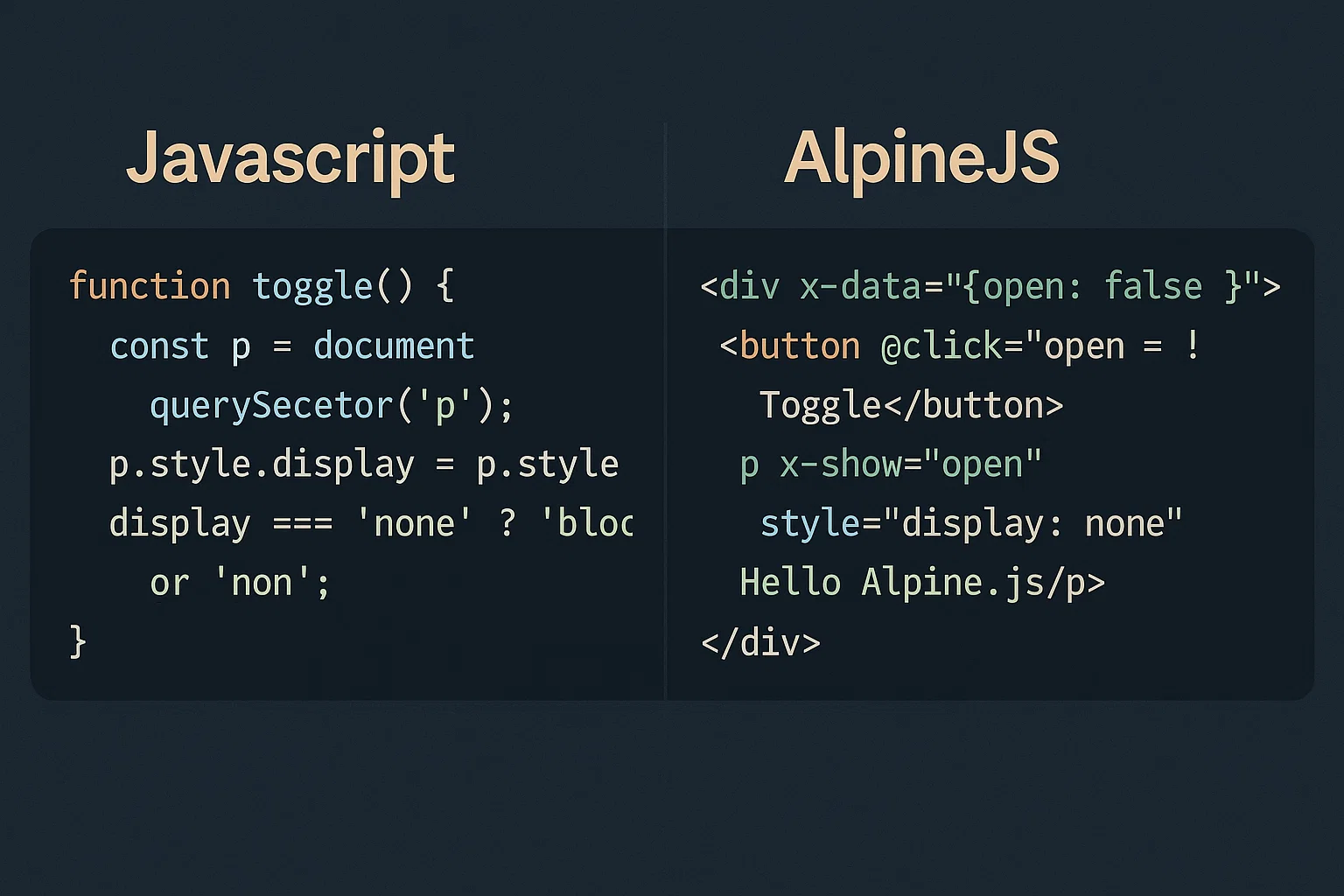
AlpineJS has emerged as a powerful yet minimalist JavaScript framework that brings reactive and declarative nature to your HTML without the complexity of larger frameworks. With its tiny footprint of just 15kb minified, Alpine offers a perfect middle ground between vanilla JavaScript and heavyweight frameworks like React or Vue. The framework’s philosophy centers around enhancing your existing HTML rather than replacing it entirely. Alpine’s syntax feels familiar to developers who have worked with Vue.js, making the learning curve gentle and approachable. The framework excels in scenarios where you need interactive components without the overhead of a full single-page application. Its declarative approach means you can add interactivity directly in your HTML markup using simple directives. This approach leads to cleaner, more maintainable code that’s easier to understand and debug.
Understanding Alpine’s Declarative Syntax
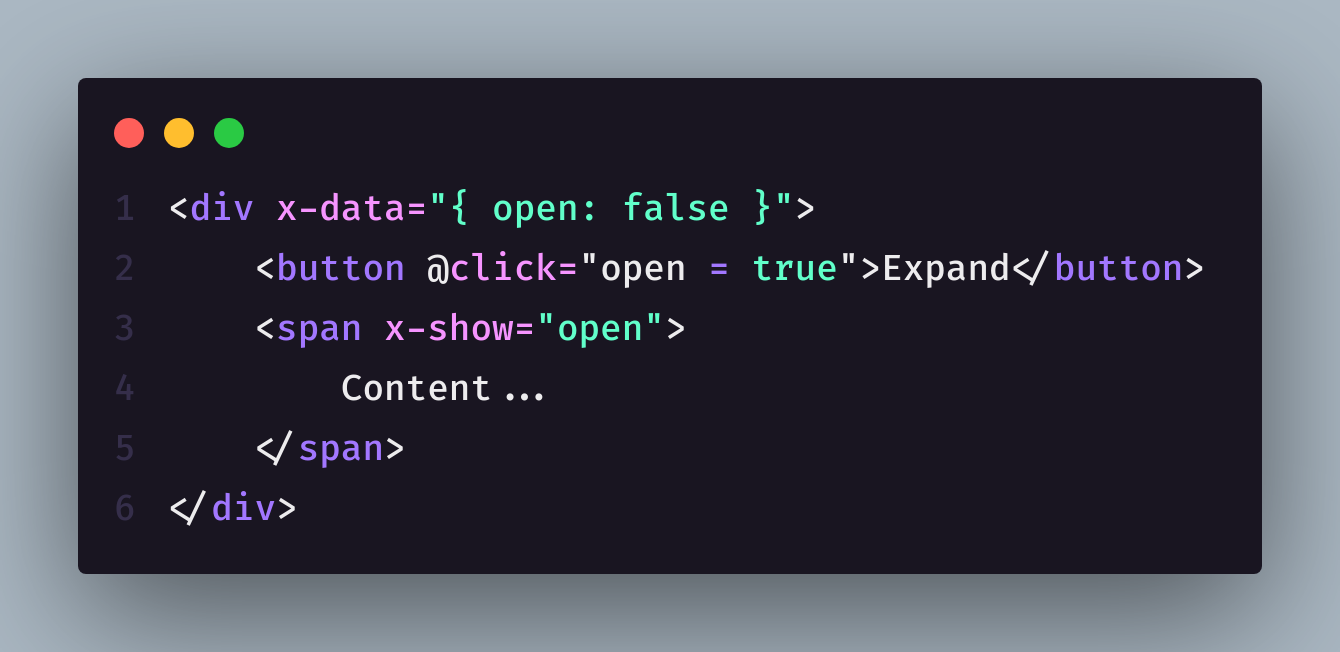
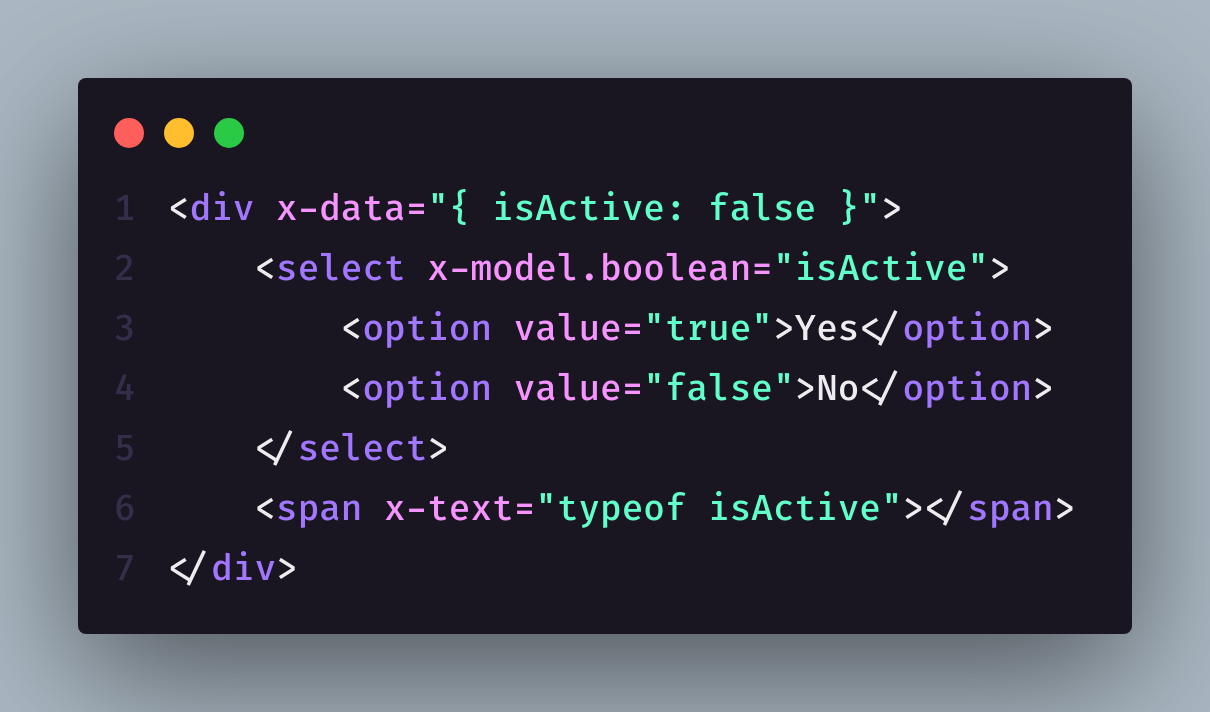
The beauty of AlpineJS lies in its declarative syntax that allows you to express complex interactions through simple HTML attributes. Using directives like x-data, x-show, x-if, and x-on, you can create dynamic interfaces without writing separate JavaScript files. The x-data directive serves as the foundation, defining the reactive data scope for your component directly in the HTML element. Event handling becomes intuitive with x-on:click or the shorthand @click, eliminating the need for manual event listener management. Conditional rendering through x-show and x-if provides clean ways to control element visibility and existence based on your application state. The x-model directive creates two-way data binding effortlessly, synchronizing form inputs with your component’s data. This declarative approach reduces the cognitive load and makes your code more self-documenting and easier to maintain.
Data Management and State Handling
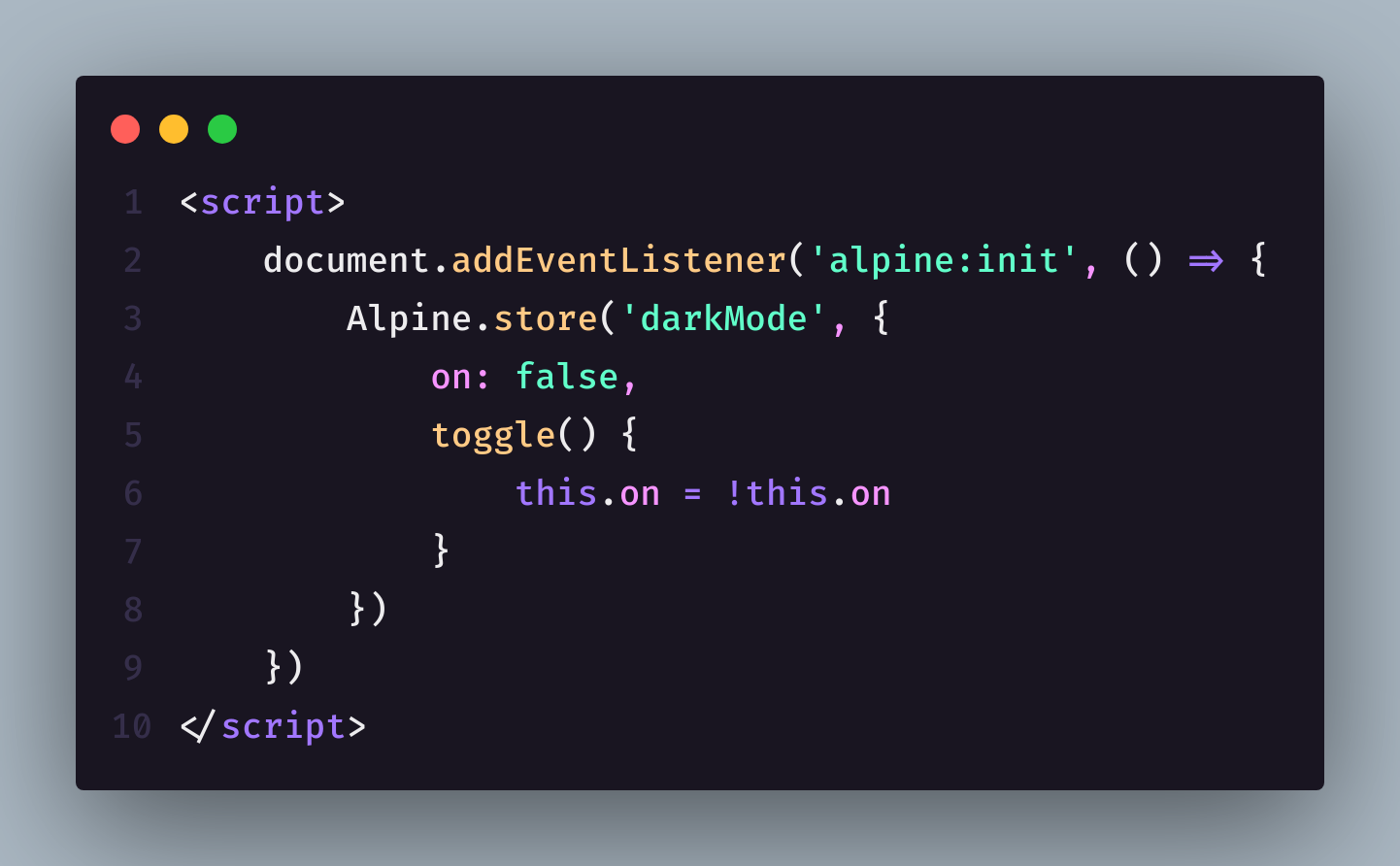
AlpineJS provides elegant solutions for managing component state and data flow without the complexity of external state management libraries. The framework’s reactive data system automatically updates the DOM whenever your data changes, eliminating the need for manual DOM manipulation. You can organize your data using nested objects and arrays, with Alpine automatically tracking changes at any depth within your data structure. The $store global state feature allows you to share data across multiple components, providing a simple yet effective solution for application-wide state management. Magic properties like $el, $refs, and $nextTick give you access to DOM elements and lifecycle hooks when needed. Alpine’s data persistence capabilities through Alpine.store() make it easy to maintain state across page reloads or component re-initialization. The framework’s approach to data handling encourages clean separation of concerns while maintaining simplicity.
Creating Reusable Components
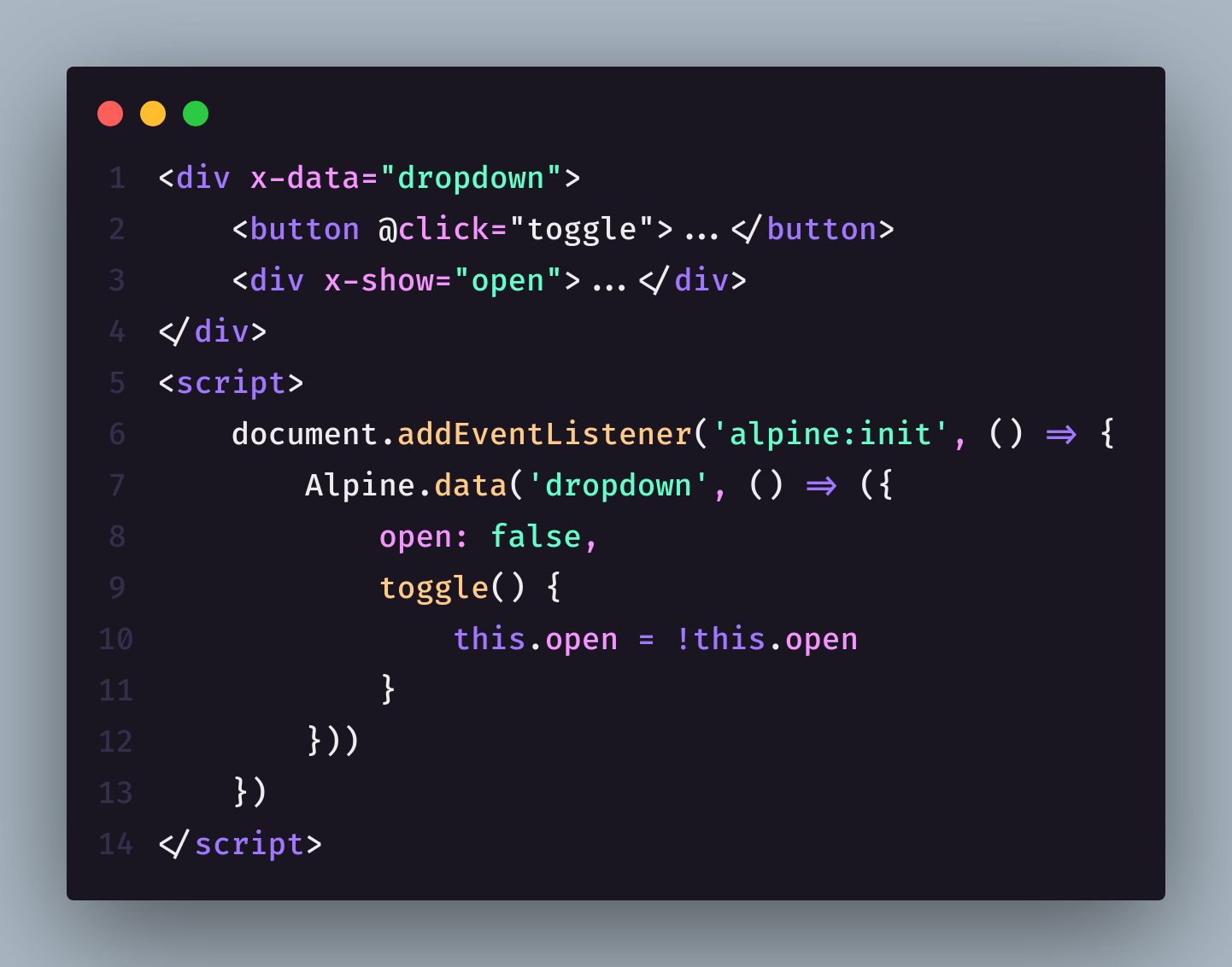
Building reusable components in AlpineJS promotes code organization and maintainability while avoiding the complexity of traditional component systems. You can create component templates using the x-data directive with function expressions that return your component’s initial state and methods. The Alpine.data() method allows you to register named components globally, making them reusable across your entire application. Component composition becomes natural as you can nest Alpine components within each other, creating complex interfaces from simple building blocks. Props can be passed to components using HTML attributes and accessed within your component’s data function, enabling flexible and configurable components. The init() method provides a clean way to handle component initialization logic, ensuring proper setup when components are mounted. This component-based approach leads to more organized code that’s easier to test, maintain, and scale as your application grows.
Event Handling and User Interactions
AlpineJS excels at handling user interactions through its intuitive event system that eliminates common JavaScript pitfalls and boilerplate code. The framework’s event modifiers like .prevent, .stop, and .once provide declarative ways to control event behavior without writing repetitive event handling code. Keyboard event handling becomes streamlined with modifiers like .enter, .escape, and .space, making form interactions and accessibility features easy to implement. Custom events can be dispatched and listened to using Alpine’s event system, enabling clean communication between different parts of your application. The $dispatch magic method allows components to emit custom events that parent components can listen for, creating a clean parent-child communication pattern. Debouncing and throttling of events can be achieved using modifiers like .debounce and .throttle, preventing performance issues from rapid user interactions. This comprehensive event handling system results in more responsive and user-friendly interfaces with cleaner, more maintainable code.
Integrating with External Libraries and APIs
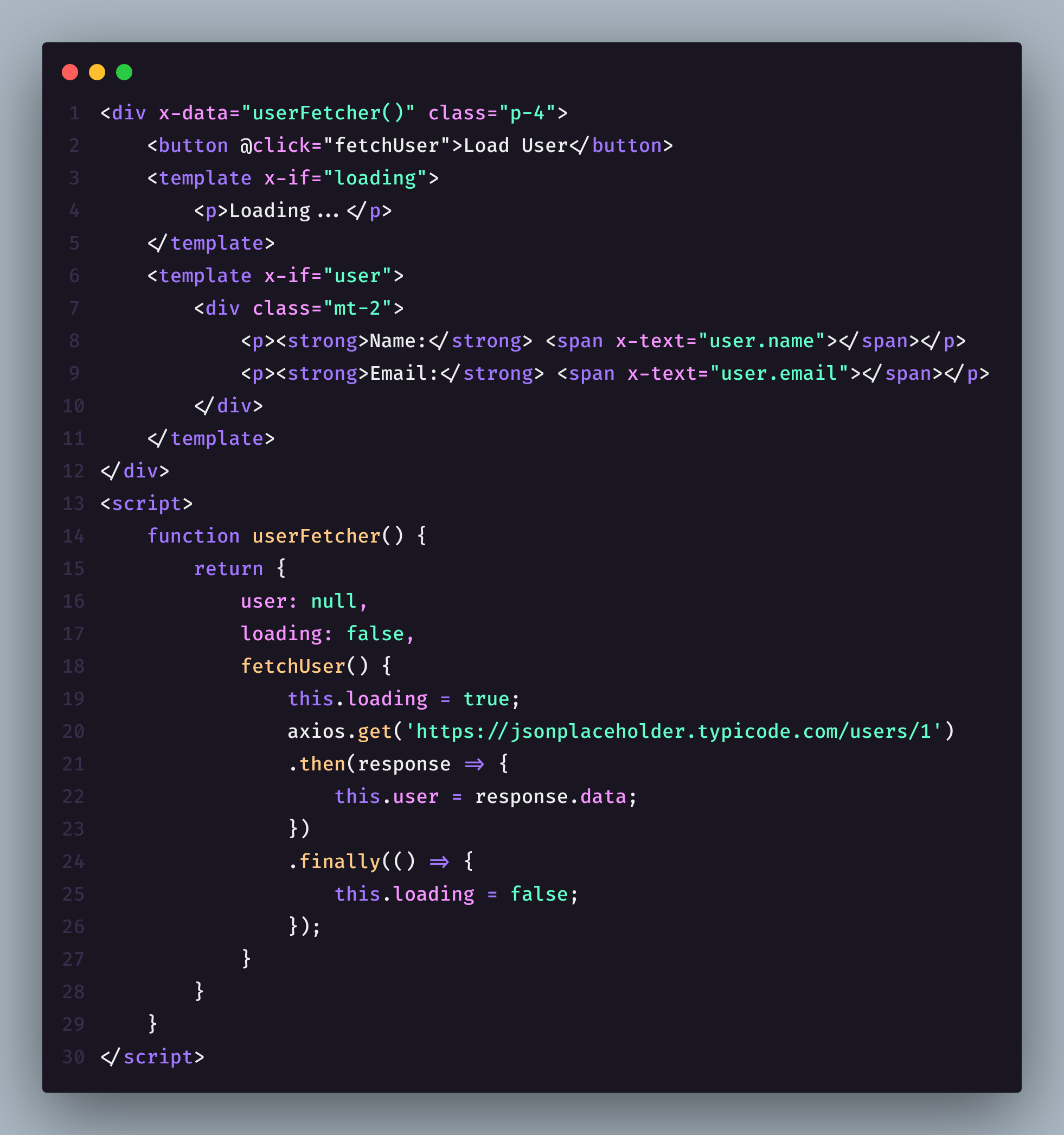
AlpineJS plays well with external libraries and APIs, making it an excellent choice for enhancing existing applications or integrating third-party services. The framework’s lifecycle hooks like x-init provide perfect entry points for initializing external libraries or making API calls when components mount. Async operations can be handled cleanly using Alpine’s reactive data system, with loading states and error handling managed through simple data properties. The fetch API integrates seamlessly with Alpine components, allowing you to load and display dynamic content without complex state management. Third-party libraries like chart libraries, date pickers, or validation libraries can be easily integrated within Alpine’s component lifecycle. The framework’s non-opinionated approach means you can gradually adopt Alpine in existing projects without major refactoring or conflicts with other JavaScript code. This flexibility makes Alpine an ideal choice for projects that need to integrate multiple technologies while maintaining clean, readable code.
Performance Optimization and Best Practices
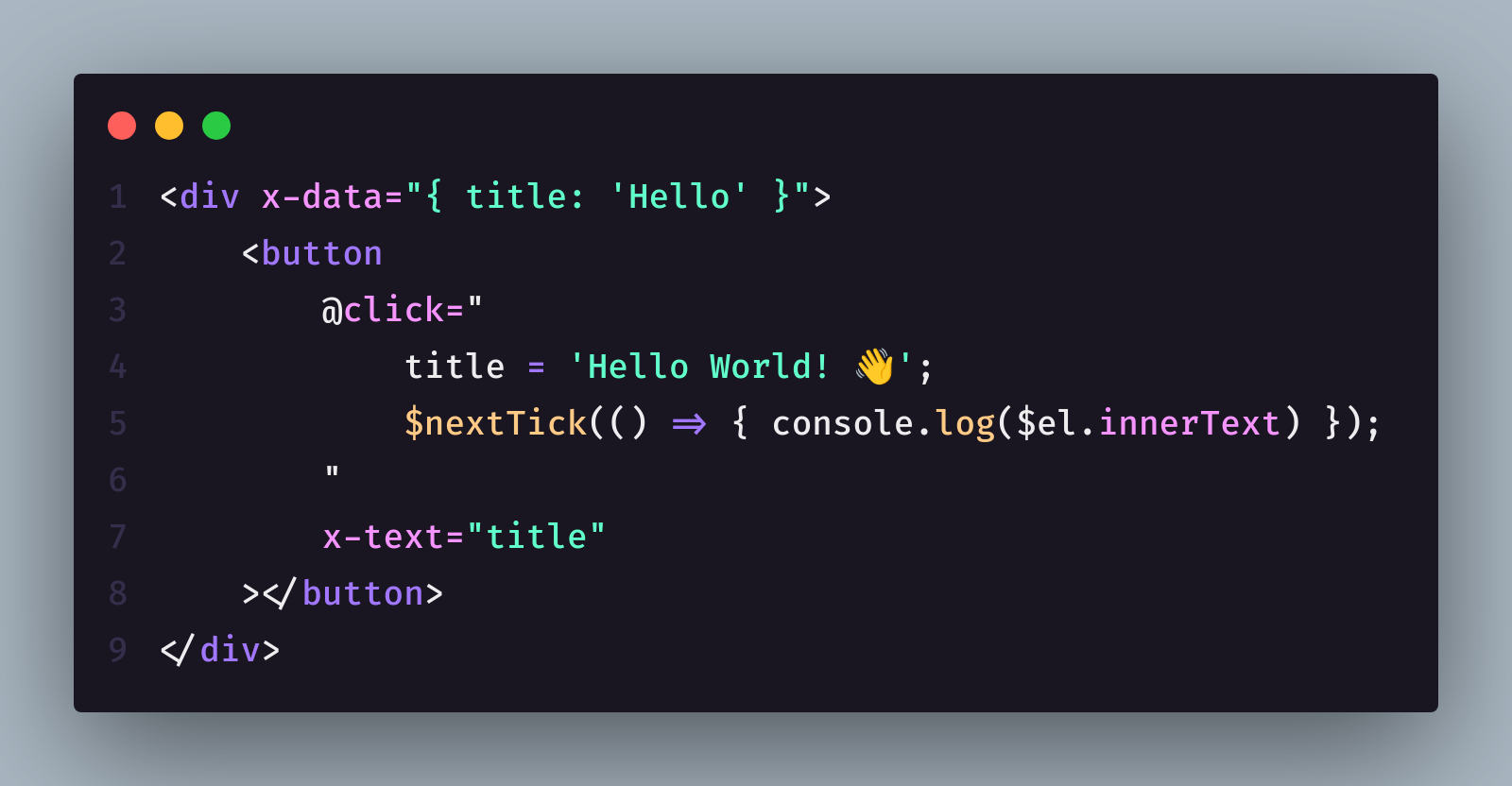
Writing performant AlpineJS code involves understanding the framework’s reactive system and following established patterns that minimize unnecessary re-renders and DOM updates. Using x-show instead of x-if for frequently toggled elements prevents expensive DOM creation and destruction cycles. Debouncing expensive operations like API calls or complex calculations helps maintain smooth user interactions and prevents resource waste. The $nextTick magic method ensures DOM updates are complete before executing dependent code, preventing timing-related bugs and ensuring reliable behavior. Lazy loading of components using x-init and conditional rendering can significantly improve initial page load times for complex applications. Breaking large components into smaller, focused pieces improves both performance and maintainability by reducing the scope of reactive updates. Following these optimization practices results in applications that feel responsive and performant while maintaining clean, readable code.
Advanced Patterns and Real-World Applications
Advanced AlpineJS patterns enable you to build sophisticated applications while maintaining the framework’s simplicity and elegance. The observer pattern can be implemented using Alpine’s global stores and event system, creating loosely coupled components that communicate effectively. Custom directives allow you to extend Alpine’s functionality for specific use cases, encapsulating complex behaviors into reusable directives. The Alpine.magic method lets you create custom magic properties that can be used across your application, providing convenient shortcuts for common operations. Server-side rendering integration is possible through Alpine’s ability to hydrate server-rendered HTML, combining the benefits of SSR with client-side interactivity. Progressive enhancement strategies using Alpine allow you to build applications that work without JavaScript while providing enhanced experiences when it’s available. These advanced patterns demonstrate Alpine’s flexibility and power, proving that clean, maintainable code doesn’t require sacrificing functionality or user experience.